SaferMe · 2020
Risk Register
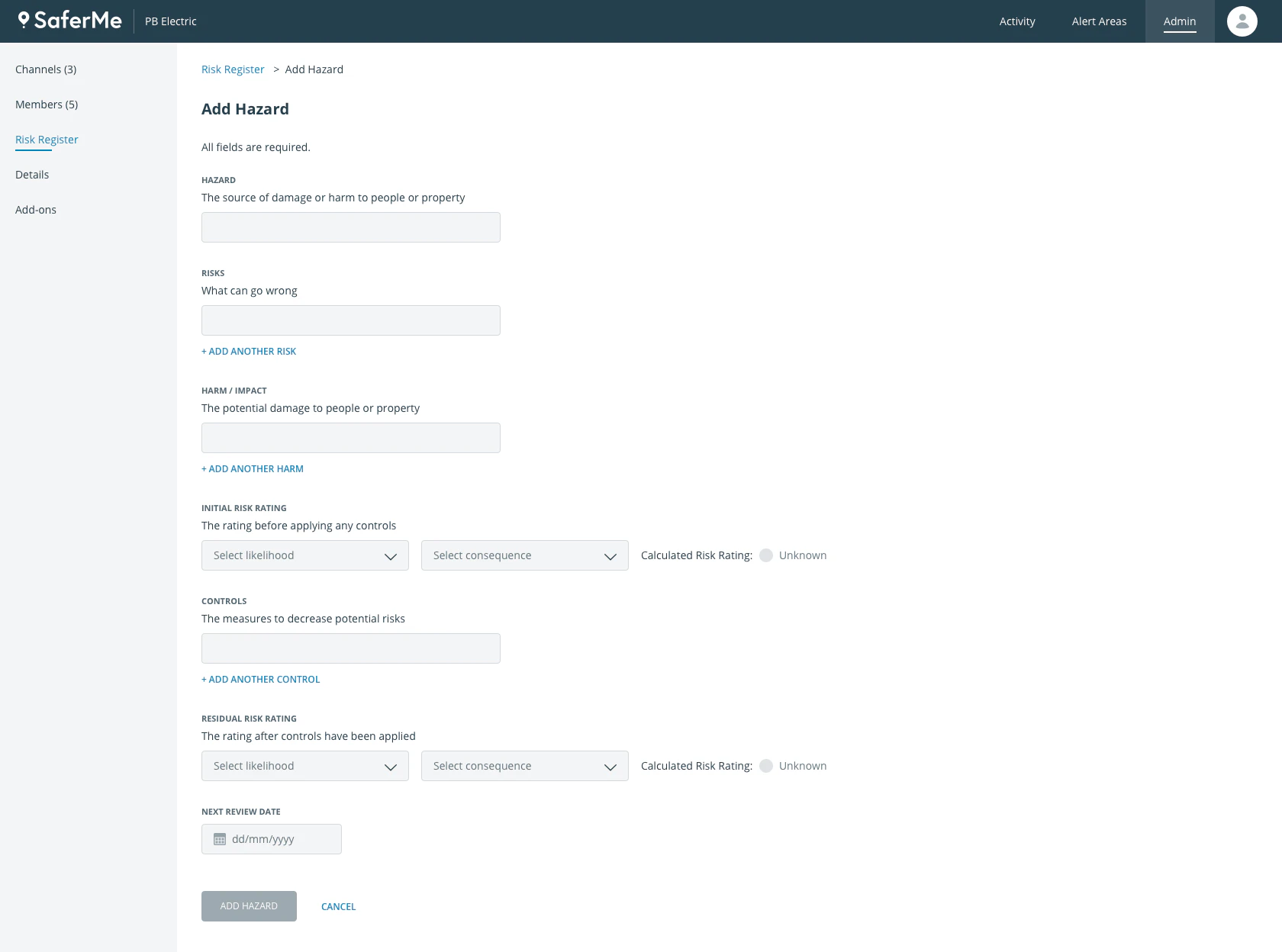
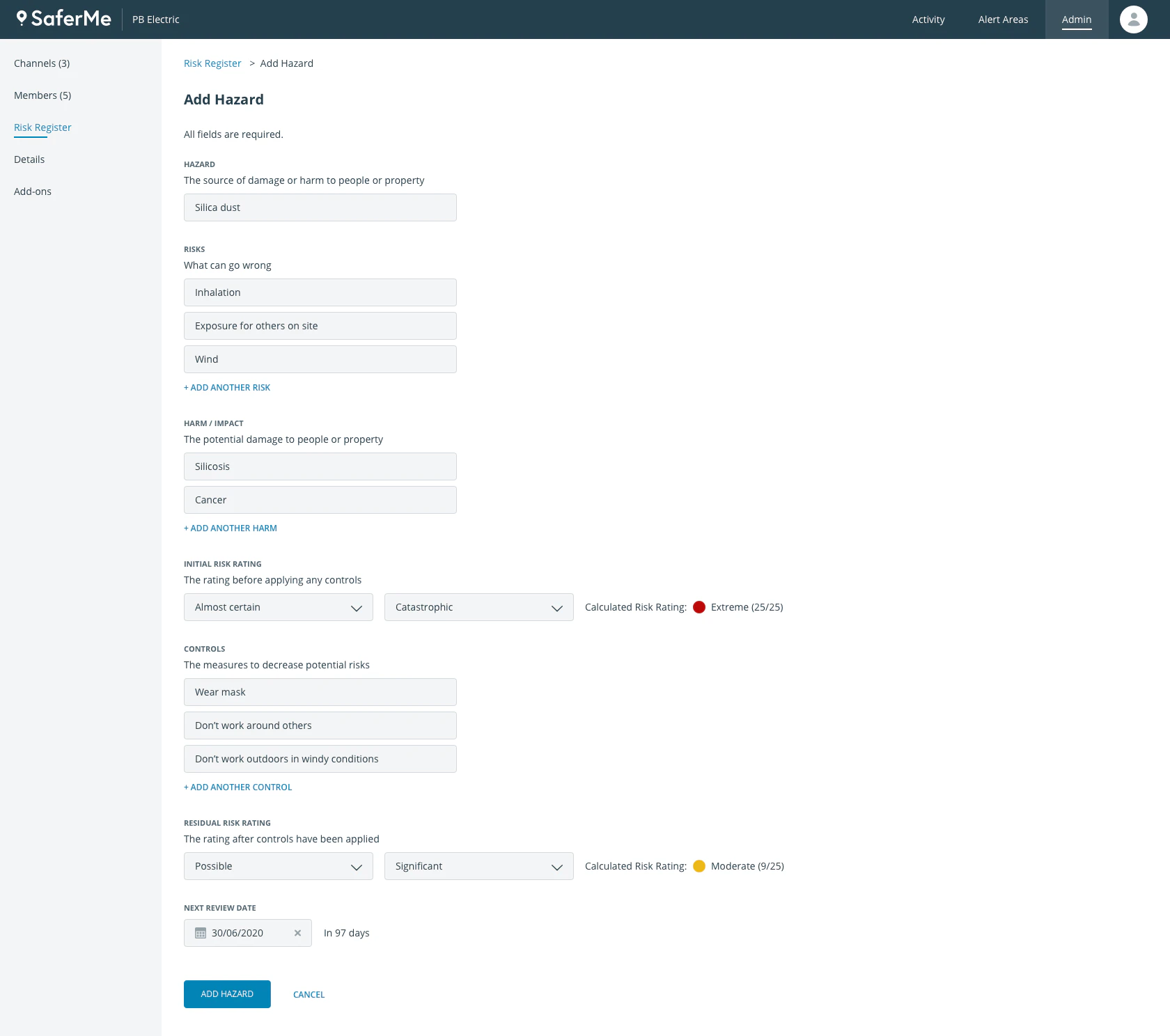
NZ legislation requires all businesses to have a Health and Safety management system (HSMS). This “system” is not a digital tool but a set of policies, processes, and procedures that combined together ensure the safety of workers and everyone around them. One of the requirements of the HSMS is to actively manage a risk register. The risk register contains a list of all hazards an employee might encounter on the job. Each hazard goes through an assessment process which includes identifying the impact of a hazard, assessing its risk rating, and determining what controls should be placed to minimize the impact, or ideally, completely remove it.
As a H&S product, our goal is to provide a complete set of digital tools to enable our customers to create HSMS. We have seen multiple requests for an easy way to create, manage, and utilize the risk register.
Research
First, we asked our customers to share their existing risk registers with us. We saw a lot of commonalities but still, there were quite a few differences. We decided, in order for us to develop the risk register feature properly, we needed real expert input. We invited four health & safety consultants to participate in a workshop. The goal of it was to find a common ground and see how we can create a “one size fits all” solution.
We ran the following activities:
- Asked each H&S consultant to draw us a risk register
- Aligned them on the board and discussed the differences
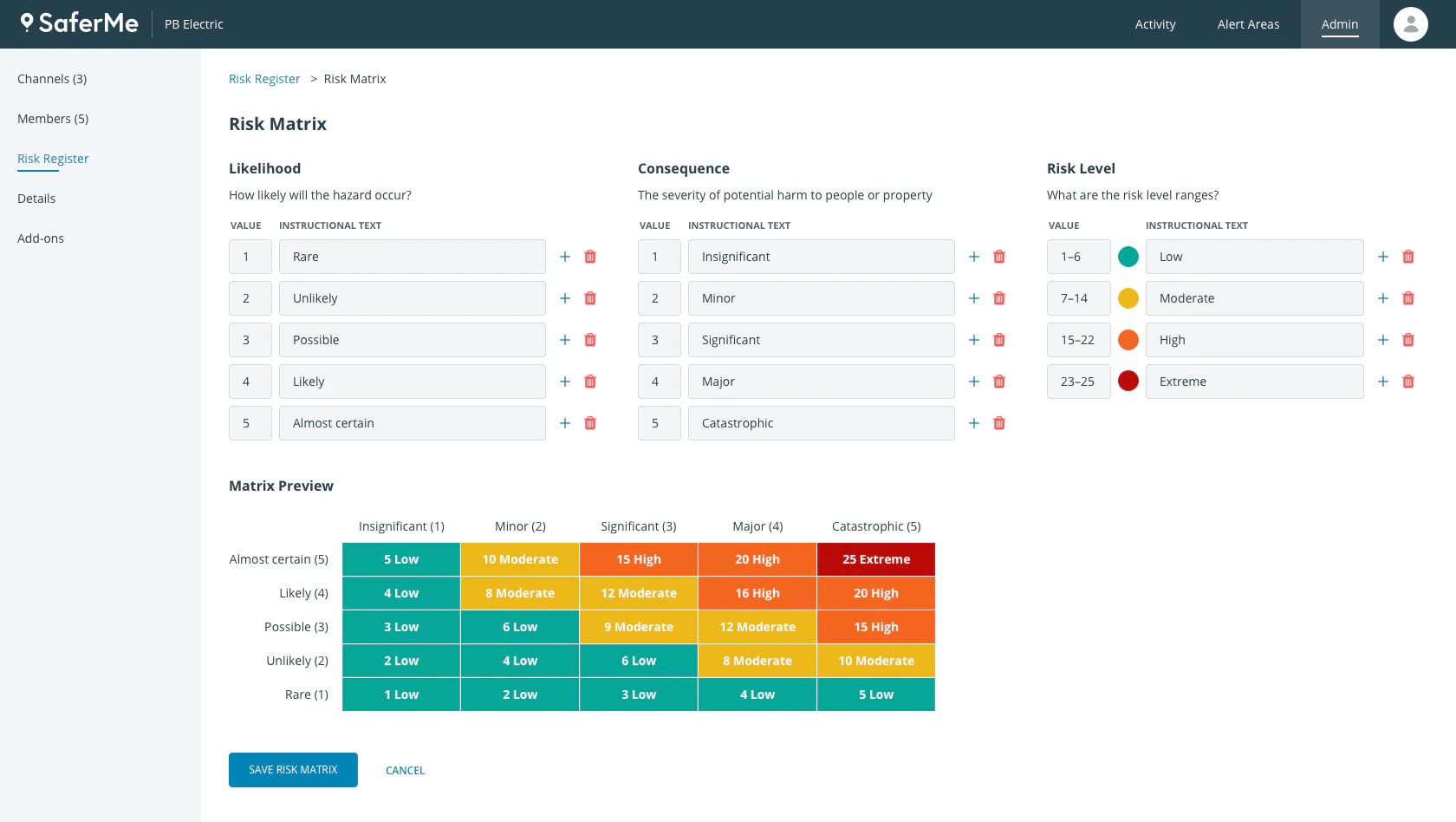
- Identified the most common risk scoring method
- Established a review process for risk registers
- Outlined which H&S forms use risk registers and in what manner
We walked out with a clear risk register structure and an understanding of how risk registers are being used every day by workers.
Design Process
We decided to split this whole project into two stages:
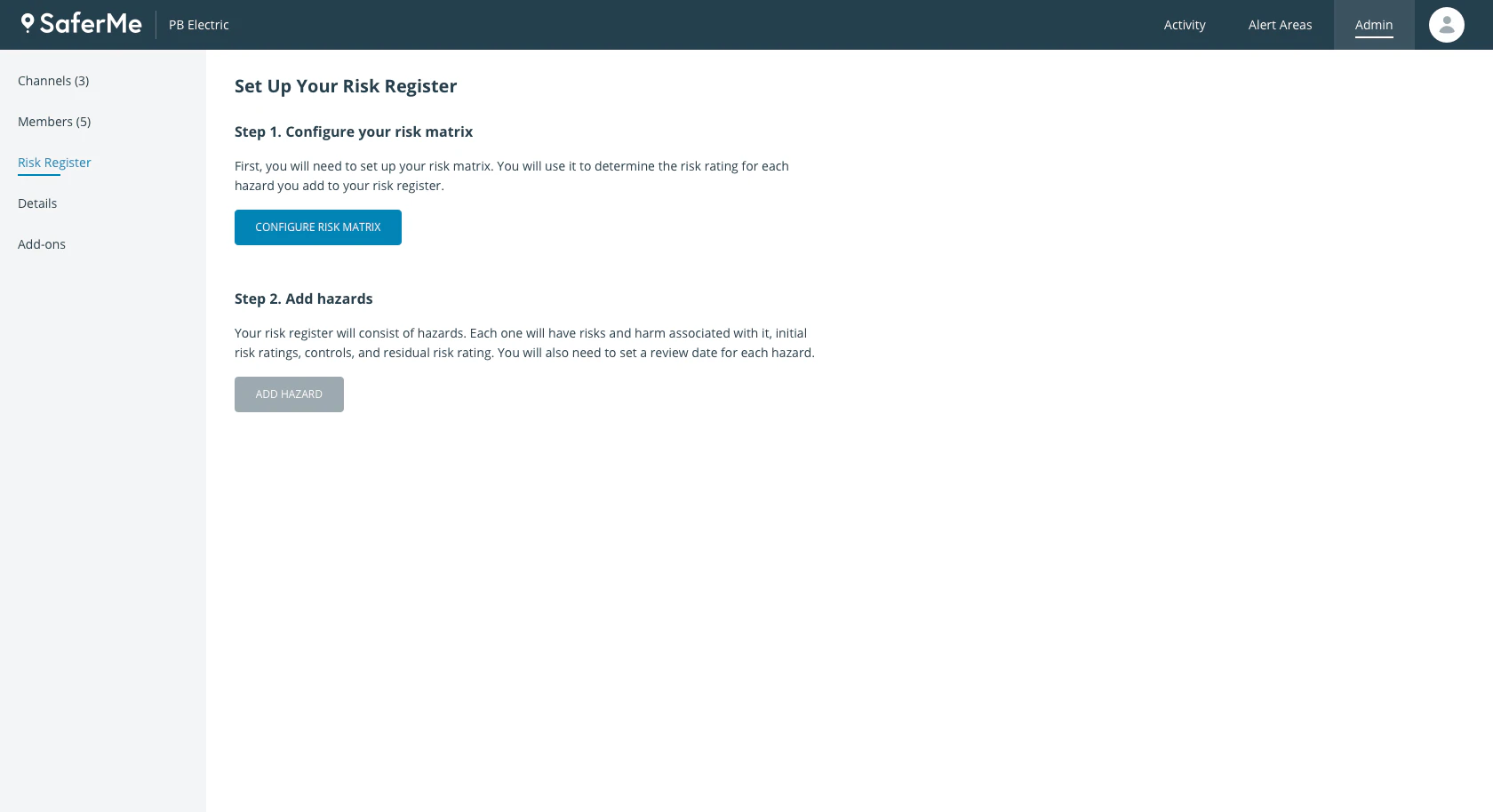
- Creating the risk register within SaferMe and allowing users to use it for the purpose of live database, with the ability to print and share.
- Allow workers to access the risk register within health and safety forms. This will allow workers to search the register for hazards that pertain to their job.
Step 1: Sketching
After the workshop, I got pen and paper and started sketching the ideas. With paper sketches, it’s easy to share the ideas very quickly, while not getting bogged down with details.
Step 2: High-fidelity prototypes
Prior to this project, I created a design pattern library. This library allowed me to move from paper sketches to high-fidelity prototypes very rapidly.
Part 1: Creation of a risk register
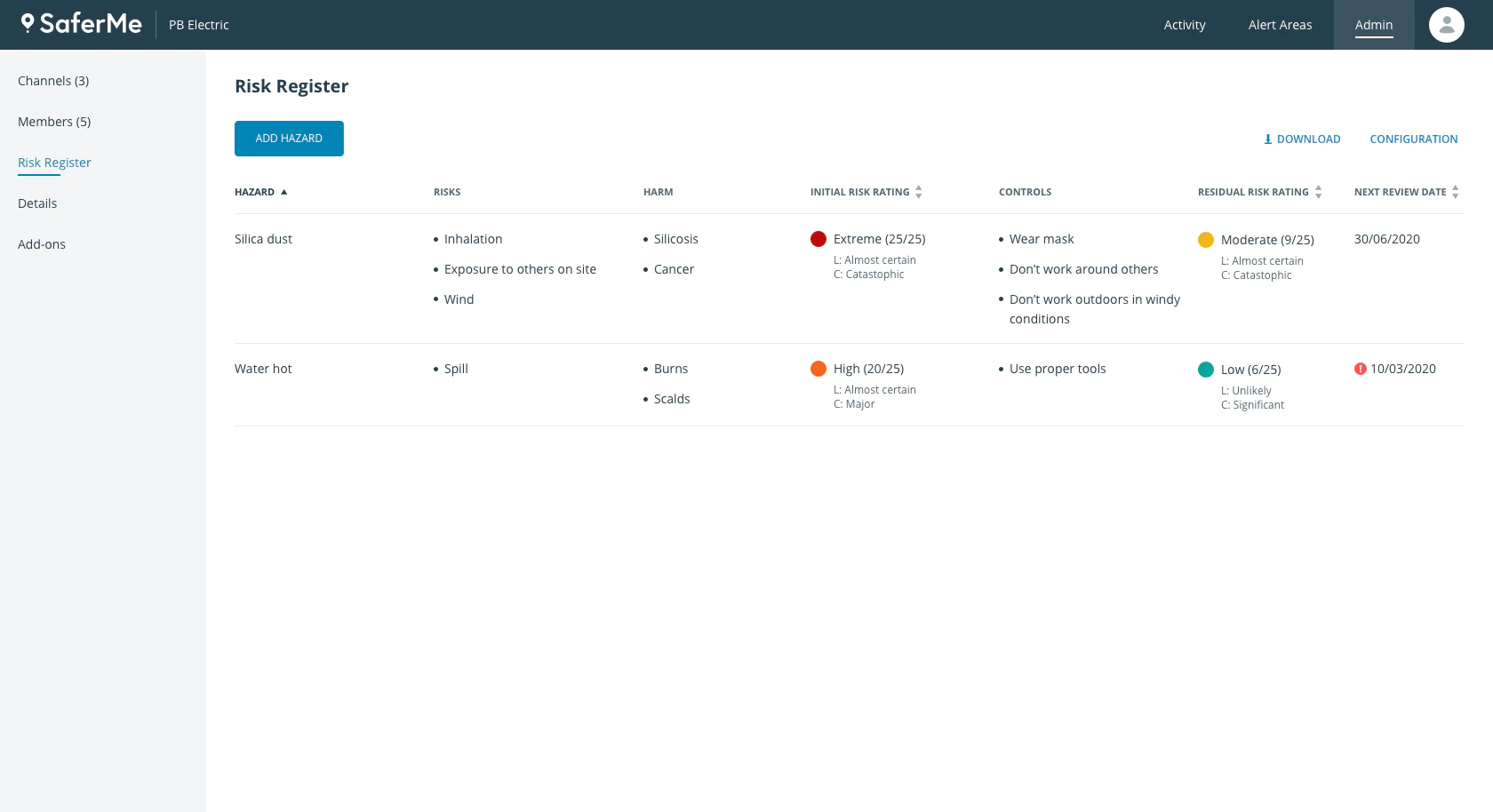
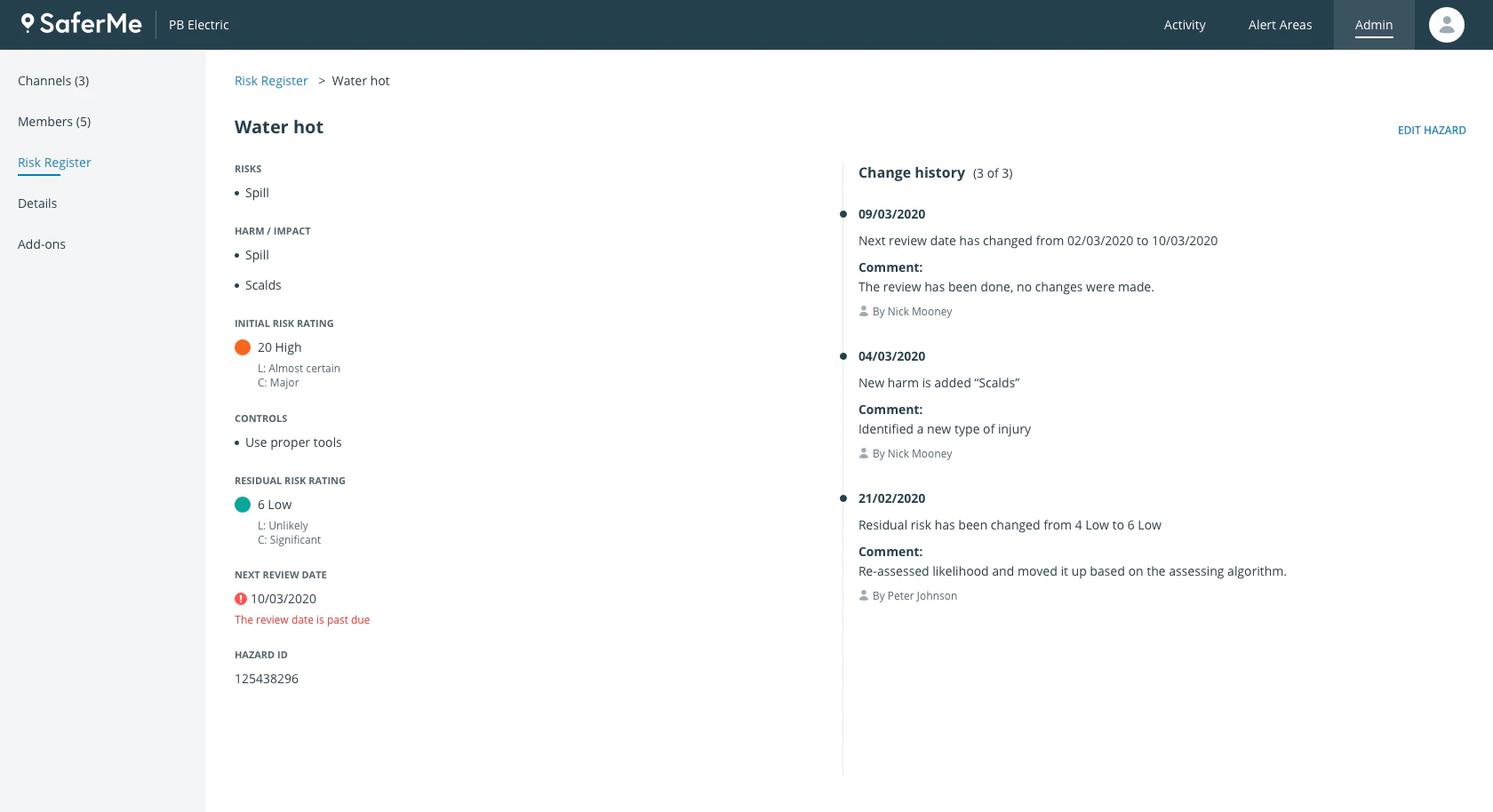
Part 2: Allowing to use the risk register within H&S forms
Usability testings
We set up usability sessions with five customers to validate the following:
- Can customers set up a risk register on their own?
- Does the terminology align with their mental models?
- Are there any other needs around the risk register that are missing?
- Is it easy to use a risk register within the forms?
Results
We had to modify some terminology and adjust the display of the risk matrix. However, the biggest challenge we discovered was on the usage of the risk register within forms. We learned that H&S managers didn’t want to make it too easy for workers to pick hazards. They needed a way for them to stop and think what they are about to do, and most importantly, implement proper controls.
This led us to modifying the view of the picked hazards screen:
- We added a visual element (exclamation mark) to give a sense there is something incomplete on the page
- We added action buttons “Mark Reviewed” to each hazard. This would force workers to sign off on each hazard individually and mentally put the burden to actually review each hazard.
The conclusion
This project was the first H&S feature where we worked alongside H&S experts to ensure accuracy and good fit. We formed a great partnership with those experts and were able to go back for constant feedback at every iteration.
The project is not implemented yet and set to be built in Q3 of 2021.